
 Aging in Place Directory Hub
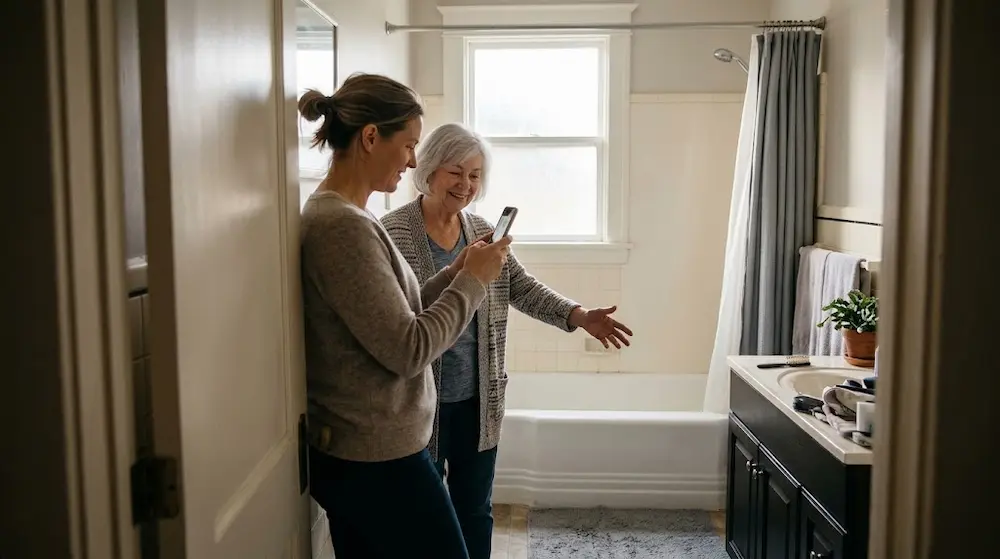
You are standing in your mom’s bathroom, and something feels off. Nothing is broken. The room is clean. But the tub wall looks high, and you wonder how she gets over it every morning. You want a quick way to find out what needs fixing without hiring anyone yet.
That is why so many families look at the AARP HomeFit app. It is free, it uses your phone, and it promises to point out home safety fixes. I have spent years as an occupational therapist, and I am a Certified Aging in Place Specialist (CAPS) and a Certified Dementia Specialist (C.D.S.).
I have watched families discover problems the hard way, and a free tool that gets them looking sooner is a good thing. I also know where a phone scan runs out of road.
The AARP HomeFit app is a free iPhone and iPad tool that scans a room with your camera and suggests changes to make the home safer and more comfortable. It does a good job of spotting fixed features like tubs, toilets, and appliances, but it cannot see how a person actually moves, what happens at night, or how memory changes affect safety. Use it as a starting list, not a final answer.
What the AARP HomeFit App Actually Does
AARP calls its goal a “lifelong home,” which means a house that works for you at any age. The app is one piece of a larger AARP HomeFit program that also includes a free illustrated guide with room-by-room tips.
You open the app, start a new assessment, and point your camera around a room such as a bathroom, kitchen, or bedroom. The app recognizes design elements and appliances and then offers suggestions for changes. That is the whole idea. You are not filling out a long form, and you do not need to know what a “comfort height toilet” is before you begin.
For a family that has no idea where to start, that matters. A blank checklist can feel like homework. A camera scan feels like something you can do in ten minutes.
How a Scan Works in Real Life
If you are scanning a parent’s home, start with the bathroom. In my experience, the bathroom is where the most serious falls happen, so it deserves your first ten minutes.
Walk slowly. Hold the phone steady and move it across the room the way the app asks. Then read the suggestions and write down the ones that surprise you. Take a photo of anything you do not understand, so you can ask a professional later.
One tip from my clinical work: scan one room on your own home first. You will learn how the app behaves, and you will be calmer and more confident when you scan your parent’s room. People can tell when you are nervous, and nervous scanning feels like inspection.
What the App Catches Well
The app is strongest with things that are fixed in place and easy to see. These are the features I would expect it to flag, and they are worth fixing:
- Tubs and showers with a high wall to step over
- Toilet height that makes standing up hard
- Kitchen and appliance layout, such as controls or storage that are hard to reach
- Fixtures and hardware, like knobs that are hard to grip
These matter. A step-over tub wall is a real fall risk, and it is the kind of problem that families often overlook because “she has always done it that way.” If you want to see which fixes tend to matter most, this guide to essential home modifications for aging in place is a good next read.
A phone scan works best on things you can measure and see, such as heights, widths, fixtures, and layout. That is useful information. It is just not the whole picture.
What the App Misses (and Why It Matters)
Here is where my OT training changes the conversation. I do not evaluate a home by looking at it. I evaluate it by watching a person use it. A home can pass every visual check and still be unsafe for the person living in it.
It Cannot See How Your Parent Moves
A camera sees a toilet. It does not see that your dad has to push down hard on the sink to stand up, or that he turns his body in a way that puts him off balance. That movement is where falls start.
When I watch someone get out of a chair, I am looking at where they put their hands, whether they sway, and how many tries it takes. A scan cannot do that. A grab bar is a good example. The best spot for it depends on where this person’s hand naturally lands, and that only shows up when you watch them move.
It Cannot See the Night Path
Most falls I have seen did not happen at the front door in daylight. They happened between the bed and the bathroom at 2 a.m. A scan done at noon with the lights on will not show you that the hallway is dark, that the nightlight burned out, or that the dog’s bed sits right in the way.
If you only do one thing after reading this, walk the path from your parent’s bed to the toilet at night with the lights off. You will learn more in two minutes than from any scan.
It Cannot See Clutter, Rugs, or Habits
Loose rugs, stacked mail, and cords across a walkway change day to day. A scan captures one moment. Habits matter too. If your mom keeps her favorite mug on the top shelf, the app will not know she climbs on a stool every morning to reach it.
It Cannot See Avoided Tasks
This is the clue I trust most. When someone stops doing something, such as cooking, bathing, or using the stairs, it usually means that task has become hard or scary. A person may say “I just don’t feel like it,” when the real reason is fear or fatigue. You find this out by watching and asking, not by scanning.
It Cannot See Memory Changes
As a Certified Dementia Specialist, I want to be direct about this one. If a person has memory loss and can no longer recognize danger, such as a hot burner or an unlocked door at night, home modifications alone will not make the home safe, because they need supervision as well. An app can suggest a different faucet. It cannot tell you that your mom left the stove on twice this month.
Visual details matter for people with dementia too, like contrast between the floor and the toilet, or glare that causes fear. If memory is a concern, this article on dementia-friendly bathroom design explains what to look for.
It Cannot See Loneliness, Driving, or Health
Some of the biggest threats to staying home have nothing to do with the house. Isolation, a changing ability to drive, and missed medications can end an aging-in-place plan faster than a tub wall. No room scan covers these, so put them on your own list.

Know the Limits Before You Download
A few practical points will save you frustration.
The AARP HomeFit app is available for iPhone and iPad, and I did not find an Android version. If your parent, or you, use an Android phone, you may need to borrow an Apple device or use AARP’s free HomeFit Guide and checklists instead.
The app also looks like it has not had a major update in a while. The App Store listing shows a 2020 copyright, and it has a small number of ratings. That does not mean it is bad, but it does mean you should expect some rough edges. If it glitches or misses something obvious, trust your eyes over the screen.
Finally, treat every suggestion as a starting point. A scan can say “consider a different toilet height.” It cannot tell you the right height for your mom’s body, or whether the wall behind the toilet can hold a grab bar.
How to Scan a Parent’s Home Without Hurting Their Feelings
I have seen a well-meant home check turn into a fight. An adult child walks in with a phone, points it at the bathroom, and the parent hears, “You think I can’t take care of myself.”
Here is a better way. Ask before you scan. Try, “I just downloaded a free app from AARP. Can I try it on your bathroom so I can fix up my own?”
Better yet, invite your parent to hold the phone. People accept change much more easily when it is their idea, and they notice things you will not.
Scan together, and keep the tone curious. Let your parent tell you what is annoying, tiring, or scary. Those comments are often more valuable than anything the app says.
Turn the Scan Into a Plan
A list of fixes does nothing until someone acts on it. Here is how I would use the results.
Sort the suggestions into two piles. In the first pile, put the simple things you or a handy relative can do, such as better lighting, removing rugs, or moving items to a lower shelf. In the second pile, put anything that involves plumbing, structure, or the way the body moves, such as a shower change, grab bar placement, or entry steps. Those belong with a professional.
Fix things in order of risk. Start with the bathroom and the night path, then the entry, then the kitchen. You do not have to do everything at once. Small, early changes beat big, rushed ones after a fall.
Keep one shared list. Send the results to your siblings or your spouse so everyone sees the same thing. A shared list stops the late-night guessing and the “I thought you were handling it” arguments. If you would like a broader room-by-room walk-through to pair with the scan, this aging in place checklist covers areas the app does not.
When to Bring in an OT or CAPS Professional
A scan is a great first step, and then there are times when you need a person.
You should book an occupational therapy home safety evaluation after any fall, after a hospital stay, when you notice a new workaround, or when a daily task starts causing fear.
An OT watches your parent do the task, such as stepping into the shower or getting off the toilet, and recommends fixes based on what they see. A doctor’s order can often help with the cost. You can read more about how this works in this guide to occupational therapy for safer aging at home.
A CAPS professional is the right call when you are ready to make changes and want them done correctly the first time. They can also tell you which modifications are worth the money and which can wait.
A Good Tool Is Still Just a Tool
The AARP HomeFit app will not replace a professional, and it does not need to. What it can do is get a family moving. It helps you look at a home with fresh eyes and gives you a place to begin, and that is worth a lot.
Pick one room this week and scan it. Then walk the night path with the lights off. If anything in the scan, or the walk, makes your stomach tighten, that is your signal to take the next step.
In all my years of walking into people’s homes, the people who stayed safe at home were rarely the ones with the best equipment. They were the ones who paid attention early and asked for help before they needed it. You are already doing that.
