
 Aging in Place Directory Hub
As someone who’s spent years helping older loved ones stay secure, both online and off—I’ve seen how fast a scam can turn someone’s world upside down. If you’ve ever gotten a strange phone call or suspicious email and felt a knot in your stomach, you’re not alone.
Let me introduce you to a tool I personally recommend: SeniorShield.AI. It’s a digital fraud prevention coach designed to help seniors and caregivers detect and avoid scams before they happen.

Why Scam Protection Matters More Than Ever
Just recently, my neighbor Lucy nearly responded to a text that seemed to be from her bank. They were asking for her bank details. She paused just in time to call me first. That moment reminded me how convincing scammers can be, and how vulnerable we all are in the heat of the moment.
In fact, in the past year alone, seniors across the country reported $12.5 billion in scam-related losses. The average loss? Around $34,200 per person. And yet, only 1 in 44 cases of elder financial abuse ever gets reported.
That’s why I’m passionate about sharing tools that raise awareness and build confidence through interactive learning.
The Story Behind SeniorShield.AI
SeniorShield.AI was created by John Ream, who saw firsthand the damage scams caused his aging parents. He joined forces with cybersecurity pros and aging specialists to develop a user-friendly app that helps older adults stay safer online.
Their goal? Make scam detection part of everyday life, without tech jargon or complicated steps.
Key Features That Keep You Safe
SeniorShield.AI includes several smart tools that promote digital safety and build awareness:
- Real-Time Alerts
Get customized warnings about trending scams in your area or age group. - Message Scanner
Upload texts or emails right in the app to instantly find out if it’s a scam.- Connects to a verified database of scam messages and numbers.
- Uses AI to explain why a message may be suspicious.
- Quizzes & Scam Simulations
Practice spotting fake messages in a safe space, with short quizzes and follow-up advice if you miss the mark. - Daily Safety Reminders
Receive short, clear tips on spotting phishing, protecting your ID, and safe browsing—with links to helpful guides.
Boosting Identity Security
To protect your personal data even more, SeniorShield.AI also:
- Recommends strong password habits and secure Wi-Fi use.
- Offers guidance to recognize fake websites and sketchy downloads.
Tools That Empower Caregivers & Groups
If you care for an aging parent or run a senior living community, there are added benefits:
- Group Tools
Create private groups to monitor scam awareness and check who’s completing quizzes. - Admin Insights
Track learning progress, identify who might need extra help, and connect with partners focused on elder fraud prevention. - Exclusive Pilot Access
Qualified caregiving organizations can apply for free access to all features through partners like Stop Elderly Scams and APlan2Age.
Plans and Pricing
- Free Plan: Includes scam alerts, quizzes, and tips, at no cost.
- One-Time Scam Test ($0.99): Send a fake scam message to educate a loved one.
- Premium Plan ($3.99/month): Unlock unlimited scam tests, full resource access, and priority support.
Important Fraud Stats to Know
- Over 101,000 fraud complaints were filed by seniors in 2024
- Average loss per reported scam: $34,200
- Total known losses: $12.5 billion
- Only 1 out of 44 cases ever gets reported
Awareness and action are your best protection.
Getting Started Is Easy
Here’s how to begin using SeniorShield.AI:
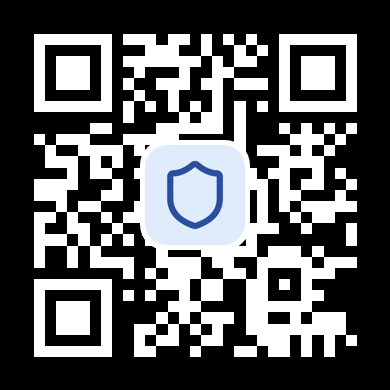
- Download the App from your phone’s app store.
- Sign Up with Your Number to start receiving alerts and advice.
- Join a Pilot Program if you’re part of a caregiving group, ask about current partnerships.

Everyday Scam Prevention Tips
Here are a few habits that can help keep you or a loved one safe:
- Pause Before You Pay
If someone asks for money, stop and verify the request by calling a known number. - Check Before You Click
Hover over links to see where they lead before clicking. - Talk It Out
If something feels off, don’t go it alone. Ask a friend or caregiver before responding.
Final Thoughts
You don’t have to face today’s scam threats by yourself. With SeniorShield.AI, staying informed becomes part of your routine, one helpful alert, quiz, or safety tip at a time.
Whether you’re supporting a parent or protecting yourself, this app gives you the tools to stay confident, connected, and scam-aware.
Try it today at SeniorShield.AI and take the first step toward a safer digital life.
